

表格
在图纸编辑器中用户可以插入表格 — 表格中可以自定义表头、工程量、图例等内容。
表格的整体布局和单元格的形式均可进行调整 — 行列数量、合并单元格、背景色、文本对齐等。
表格的操作类似Microsoft Excel。除了文本外,表格内还可以添加栅格图片。
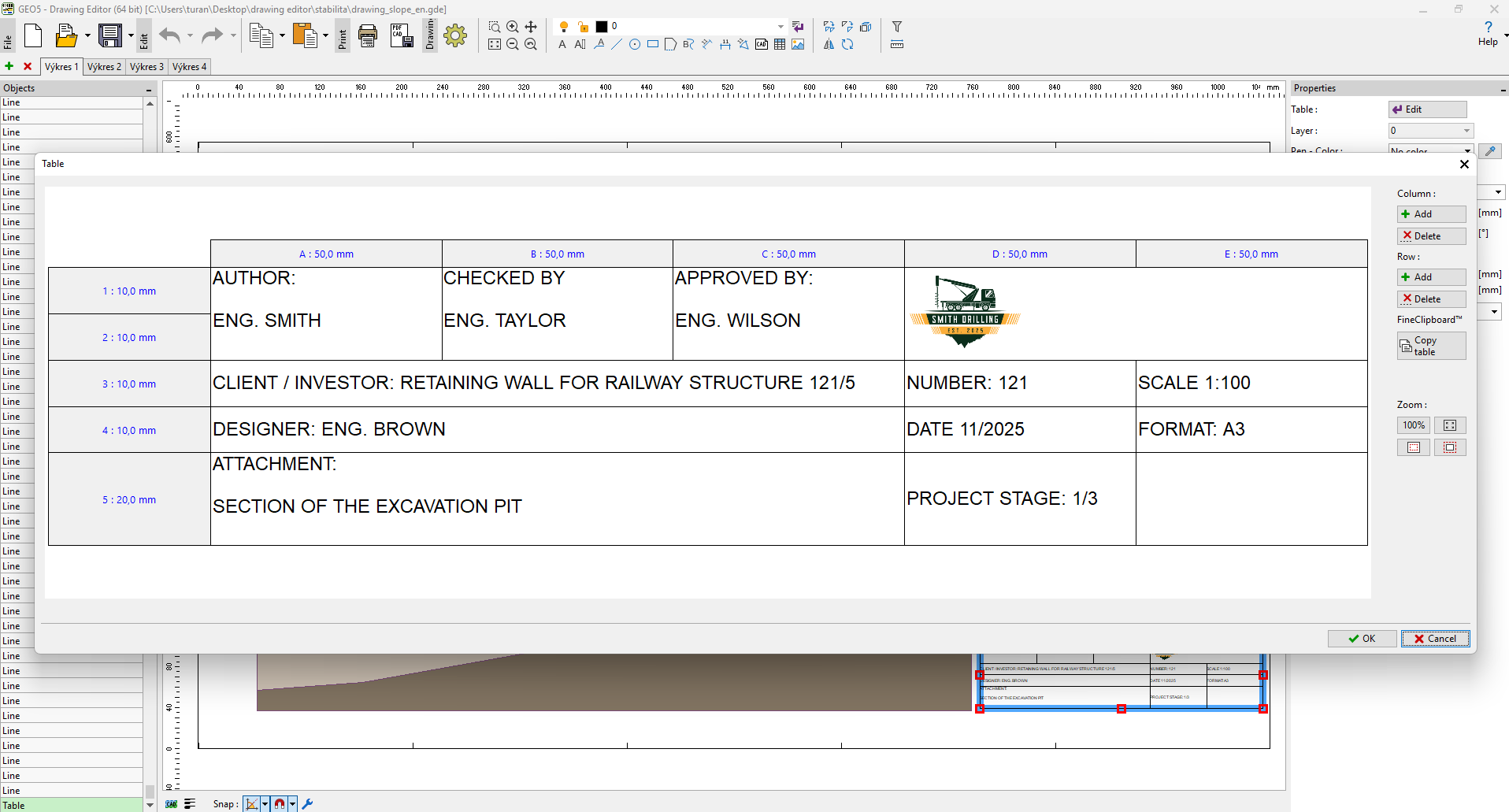 编辑表格-创建标题栏
编辑单元格时,双击选择,在弹出的对话框中可以进行列数量和行数量等的定义。
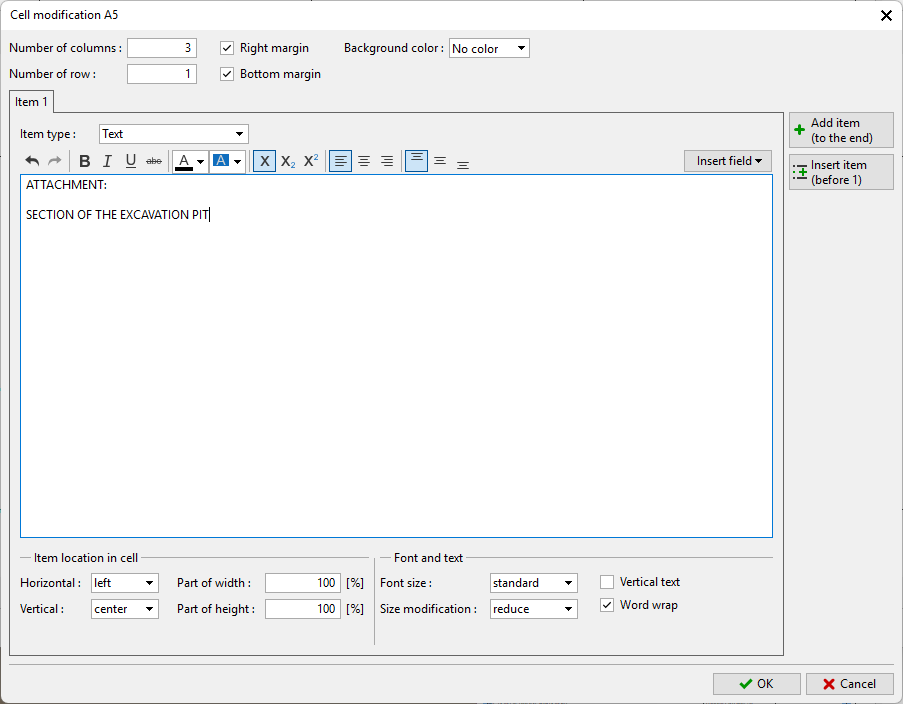 编辑单元格样式

在图纸编辑器中用户可以插入表格 — 表格中可以自定义表头、工程量、图例等内容。
表格的整体布局和单元格的形式均可进行调整 — 行列数量、合并单元格、背景色、文本对齐等。
表格的操作类似Microsoft Excel。除了文本外,表格内还可以添加栅格图片。
编辑表格-创建标题栏
编辑单元格时,双击选择,在弹出的对话框中可以进行列数量和行数量等的定义。
编辑单元格样式