


Escala de Diseño
En el Editor de Diseño, las dimensiones se miden a tamaño real en papel; no hay distinción entre el espacio de dibujo y el espacio modelo.Al insertar un bloque general o una vista desde otros programas de GEO5, se puede seleccionar la escala haciendo clic derecho o a la derecha en las propiedades.
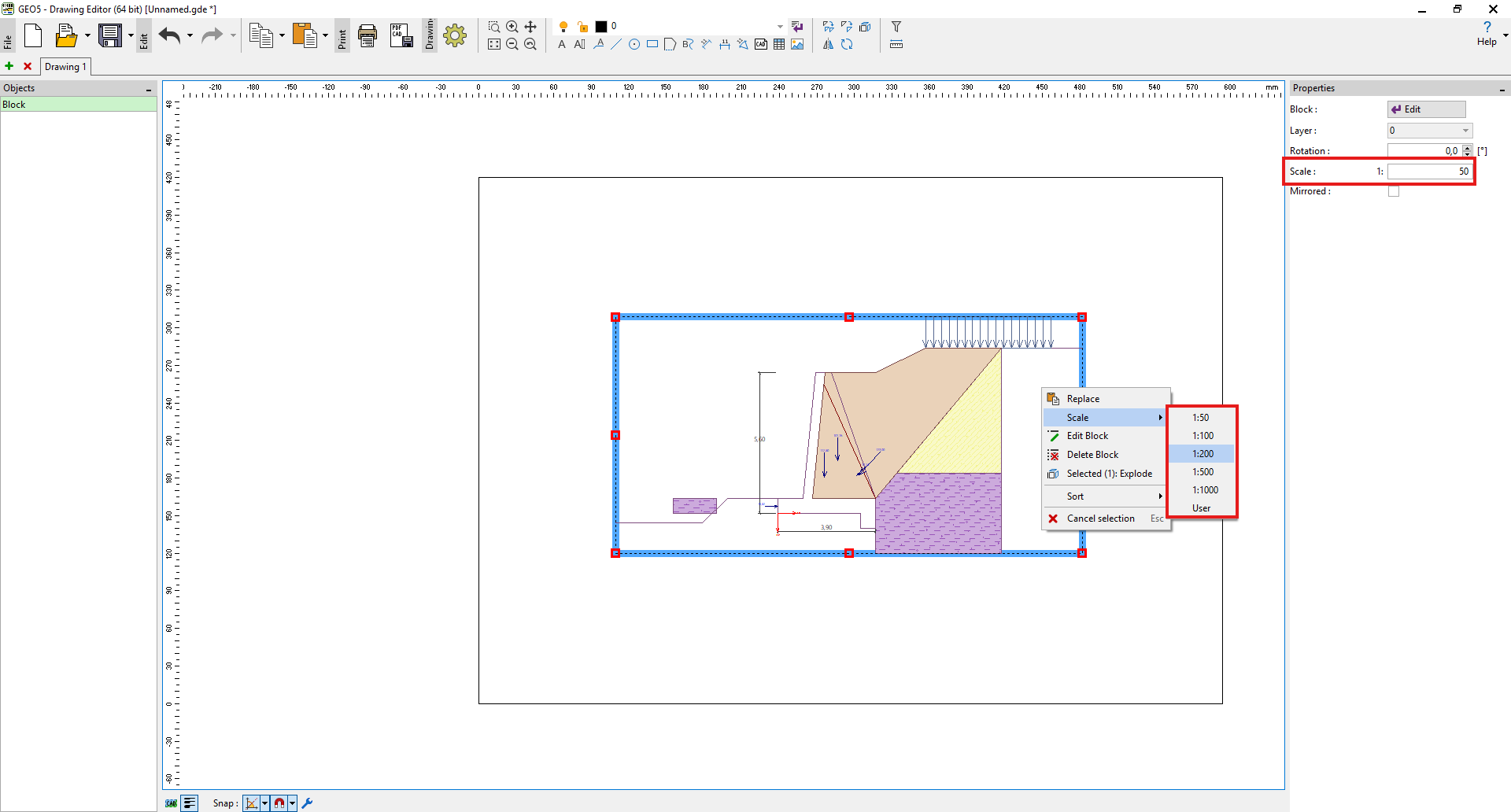 Configuración de escala
Por lo tanto, si queremos dimensionar una estructura a una escala específica, es necesario establecer el multiplicador correspondiente para las dimensiones; por ejemplo, para una escala 1:100, establecer el multiplicador de dimensión en 100.
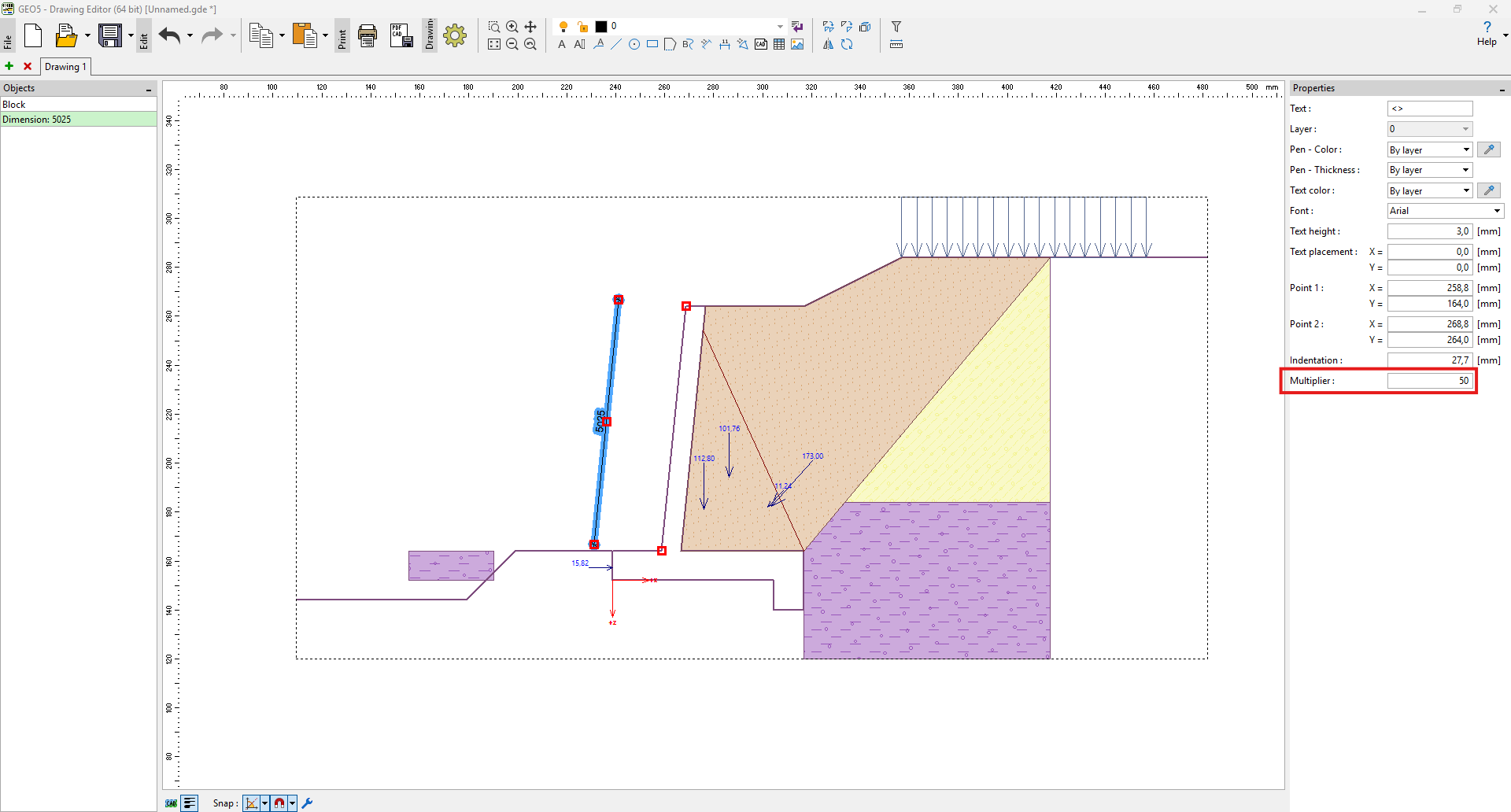 Configuración del multiplicador de dimensión